
Clover Kiosk Self-Checkout Kiosk
All-in-one self-ordering kiosk with a 24" guest touchscreen, integrated card reader and built-in receipt printer, so guests order and pay without waiting at the counter.
Best for: Clover Kiosk fits restaurants, grocery stores, and retail stores that need self-ordering and self-checkout with an integrated card reader and receipt printer.
Every Clover Kiosk deployment is paired with payment processing that runs the Clover Kiosk before you choose a device.
Hardware pricing is customized. Bundles depend on your processing setup, software plan, and accessories. Request a quote for the Clover Kiosk and we'll tailor a recommendation for your business.
Compliant processing programs available
Ask about our and options, or traditional -based pricing.*Program availability varies by state and is subject to underwriting and compliance review.
Why a self-service kiosk
The pain: Long lines at peak, tied-up staff, and missed upsell opportunities on a busy lunch rush.
How the Clover Kiosk helps: Self-ordering can help reduce labor pressure at the counter, move guests through faster, and lift average order value with consistent prompts for add-ons and upgrades.
Outcomes vary by business. We don't promise specific dollar savings — request a quote and we'll walk you through realistic expectations for your setup.
Clover Kiosk photos
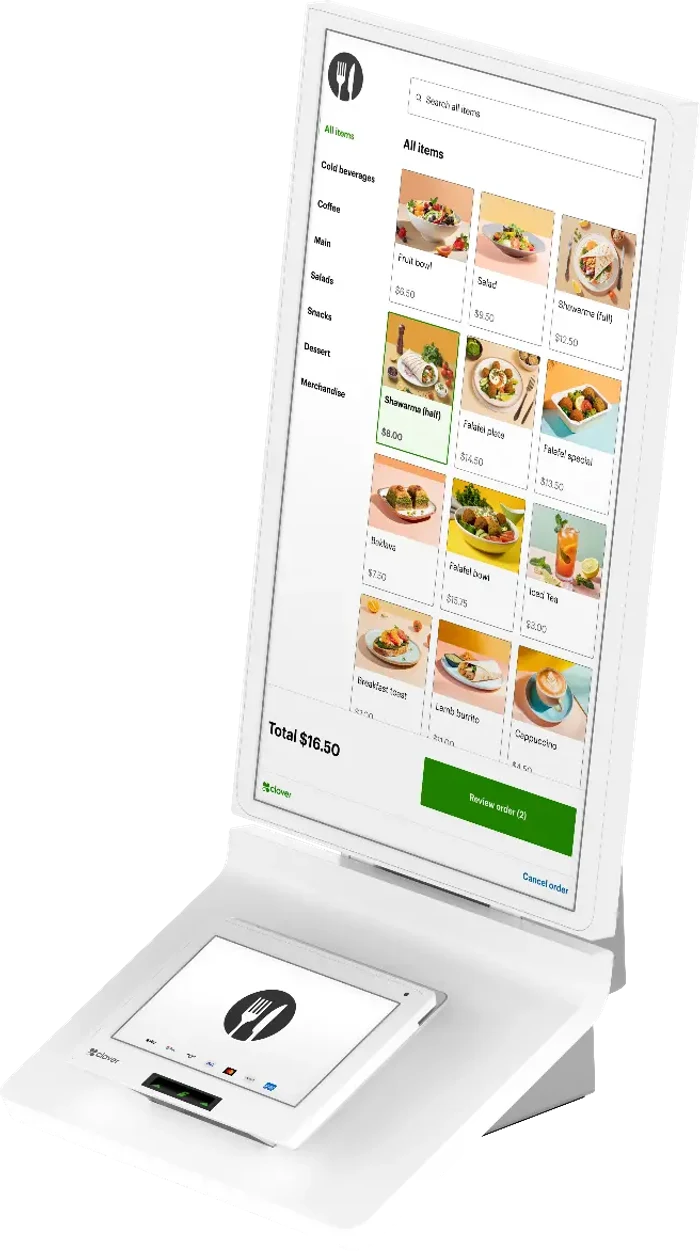
Guest-facing ordering screen with item photos, modifiers and add-on prompts.
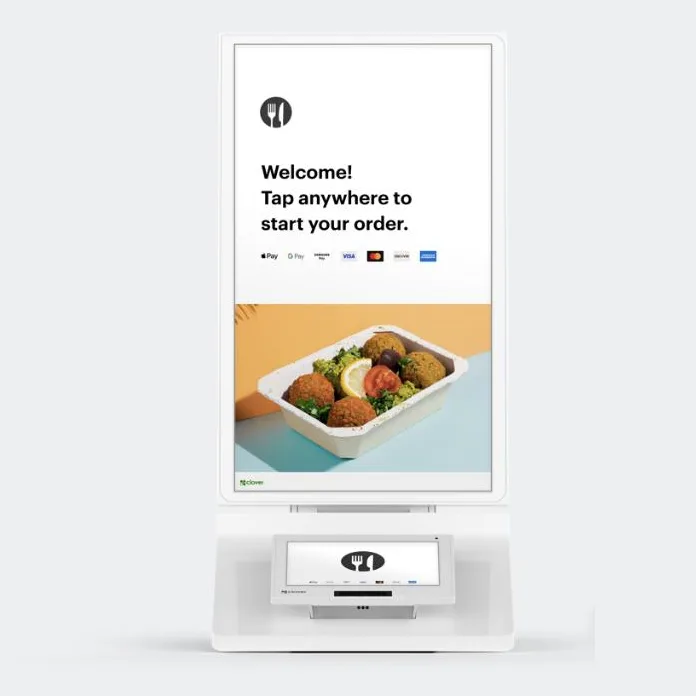
Front view — 24" touchscreen, integrated card reader and built-in receipt printer.
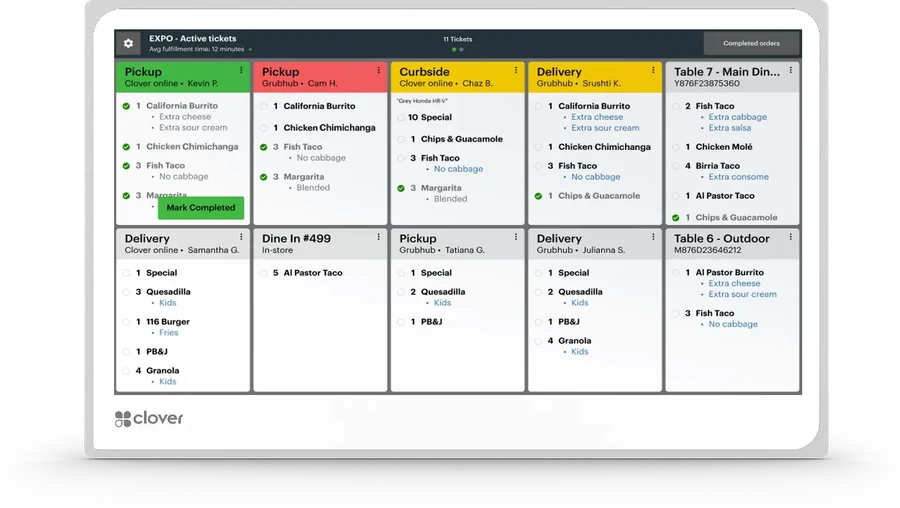
Kiosk orders route straight to a Clover KDS screen in the kitchen.
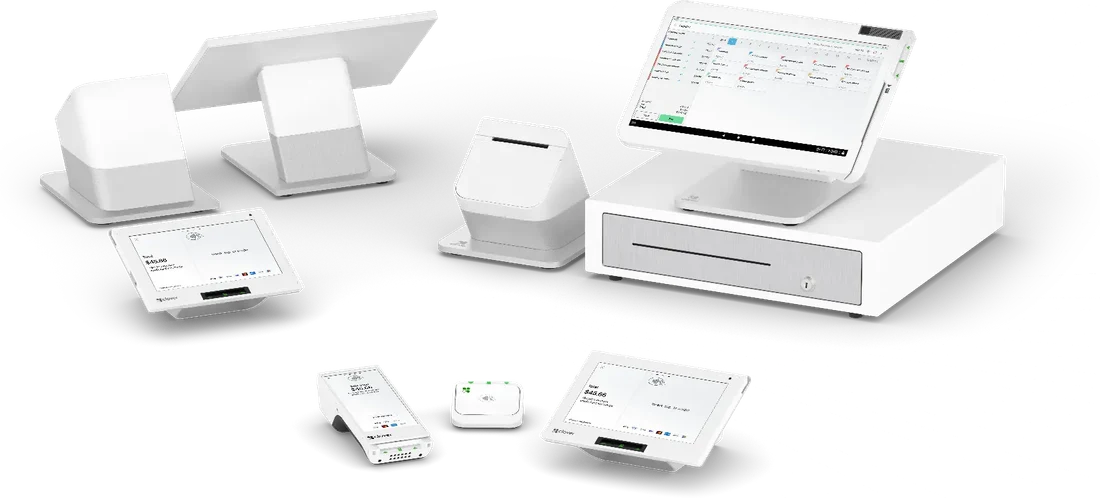
The kiosk shares one menu, one catalog and one report set with the rest of your Clover devices.


Photos show representative configurations. Included accessories and available options vary by setup and are confirmed before installation.
App Marketplace
Clover App Market
Hundreds of business apps — accounting, scheduling, loyalty, online ordering, delivery, and more — installable directly on the device.
Software Plans & Tiers
Payments
Take cards in person and on the go, end-of-day batch, basic reporting.
Essentials
Inventory, employee management, customer profiles, and standard reporting.
Register
Full POS — item modifiers, tabs, refunds, exchanges, discounts, gift cards, and advanced reporting.
Plan availability and naming may vary. Final plan is selected during onboarding.
Key Capabilities
- Tap-to-pay (NFC / contactless)
- EMV chip card acceptance
- Built-in or paired receipt printing
- Self-service ordering & checkout
- End-of-day batch & detailed reporting
- Employee permissions & time clock
- Inventory tracking & low-stock alerts
Integrations
DoorDash
Receive and manage delivery orders from the same device.
Uber Eats
Accept Uber Eats orders directly into your order queue.
Grubhub
Consolidate Grubhub tickets alongside in-store orders.
Google orders
Take orders placed through Google Search and Maps via supported partners.
Online ordering & website builder
Branded online menu / store synced to the device for pickup and delivery.
Curbside pickup
Customer arrival notifications and order hand-off workflow.
Online store
Sell the same catalog online with inventory shared with the POS.
Third-party integrations are subject to the partner's terms and availability in your region.
Technical Specifications
| Display | 24" HD guest touchscreen |
| Payment acceptance | EMV chip, contactless / NFC, mag-stripe |
| Printer | Built-in thermal receipt printer |
| Order routing | Sends tickets to Clover POS and Clover KDS |
| Connectivity | Wi-Fi and Ethernet |
| Mounting | Countertop, floor stand or wall mount |
| Accessibility | ADA-compliant reach and screen height |
| Software | Clover self-ordering, menu sync and reporting |
| Power | Single AC power connection |
Industries
Integrations
Need More Info?
Have questions about the Clover Kiosk? Our team is here to help.
Limited-time offer — ends December 31, 2026
Start today and ask about a full POS system at no equipment cost
Through December 31, 2026, new merchants who start a review with BSV Solution can ask about our POS placement program, where qualifying businesses are placed on a full point of sale system with no equipment cost.
Eligibility based. Subject to underwriting approval and a qualifying processing agreement. Availability may vary by state and business type. Terms and conditions apply.
Clover Kiosk pricing and quotes
We do not publish device prices, because a Clover Kiosk quote depends on your business type, monthly card volume, the software modules you need and any accessories such as scanners, scales or cash drawers. A specialist reviews those details with you and puts the numbers in writing.
- Tell us about your business and how you take payments today.
- Send a recent processing statement if you have one — a PDF, photo or screenshot is fine.
- We review your current costs line by line and recommend a setup.
- You receive a written quote covering equipment, software and processing.
Pricing and program availability are reviewed individually and are subject to underwriting approval. Availability may vary by state and business type.
Prefer to talk? (424) 368-2851Request a Clover Kiosk quote
A payments specialist replies with a written quote. No obligation, and nothing is stored on this site.
Related Hardware

SUNMI K2
Smart Kiosk Terminal for self-service. The SUNMI K2 is a SUNMI self-service kiosk we set up for restaurants, retail stores and hotels. Built around Self-service, Large Display, Payment Integration. Configuration and pricing are reviewed individually based on your business type and processing volume, subject to underwriting approval.

SUNMI K2 MINI
Compact self-service kiosk. The SUNMI K2 MINI is a SUNMI self-service kiosk we set up for restaurants and cafés. Built around Compact Kiosk, Self-service, Space Saving. Configuration and pricing are reviewed individually based on your business type and processing volume, subject to underwriting approval.
Clover Kiosk questions
Eligibility, processor selection, and pricing are reviewed individually and are subject to underwriting approval.
People search for the Clover Kiosk as
- Clover Kiosk
- self-ordering kiosk
- self-checkout pos system
- restaurant ordering kiosk
- retail self-checkout
- kiosk with card reader
Common questions before you buy a credit card machine
Ready to Get Started with Clover Kiosk?
Contact our team today for personalized pricing and to schedule a demo.